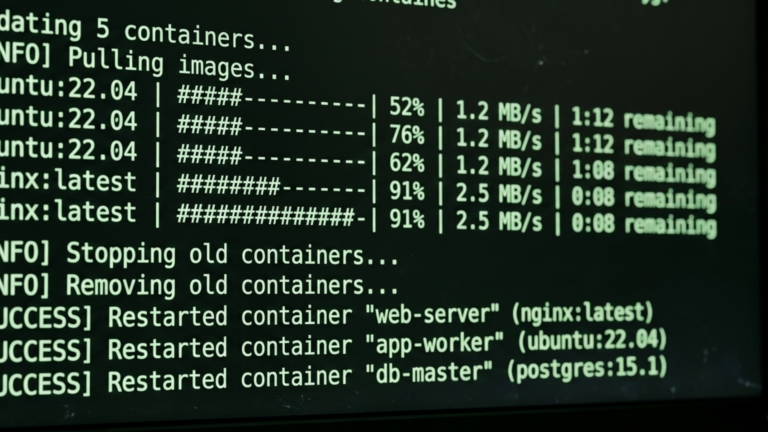
Watchtower on Docker is a container that watches your other containers and updates them automatically when new image versions are released, covered in the homelab hub post. This post covers only the installation.
Prerequisites
You need Docker installed, and your user added to the Docker group. Verify both:
docker info
docker ps
Watchtower requires access to the Docker socket (/var/run/docker.sock) to inspect, stop, and restart containers. This is mounted into the container at run time.
Method 1: docker run
The minimal command to start Watchtower monitoring all containers:
docker run -d \
  --name watchtower \
  -v /var/run/docker.sock:/var/run/docker.sock \
  -v /etc/localtime:/etc/localtime:ro \
  --restart unless-stopped \
  containrrr/watchtower \
  --cleanup \
  --interval 86400
The Docker socket mount gives Watchtower access to the daemon. The /etc/localtime mount syncs the container timezone with your host for accurate log timestamps. --cleanup removes old images after a successful update to keep disk usage down. --interval 86400 sets the check frequency in seconds; 86400 is 24 hours; adjust to suit your needs.
To monitor only specific containers, list their names at the end of the command instead of running with no arguments:
docker run -d \
  --name watchtower \
  -v /var/run/docker.sock:/var/run/docker.sock \
  --restart unless-stopped \
  containrrr/watchtower \
  --cleanup \
  portainer heimdall uptime-kuma
Verify it’s running:
docker ps | grep watchtower
docker logs watchtower
Method 2: Docker Compose
Create a project directory:
mkdir -p ~/watchtower && cd ~/watchtower
Create docker-compose.yml:
services:
  watchtower:
    image: containrrr/watchtower
    container_name: watchtower
    volumes:
      - /var/run/docker.sock:/var/run/docker.sock
      - /etc/localtime:/etc/localtime:ro
    environment:
      - WATCHTOWER_CLEANUP=true
      - WATCHTOWER_POLL_INTERVAL=86400
      - WATCHTOWER_LABEL_ENABLE=false
    restart: unless-stopped
WATCHTOWER_CLEANUP removes old images after updates. WATCHTOWER_POLL_INTERVAL sets the check interval in seconds. WATCHTOWER_LABEL_ENABLE controls selective updates when set to true, Watchtower only updates containers that carry the label com.centurylinklabs.watchtower.enable=true; set it to false to update everything by default and use com.centurylinklabs.watchtower.enable=false on any container you want excluded. Add either label to a container’s own Compose file under a labels key.
Start it:
docker compose up -d
Verify:
docker compose ps
docker compose logs
A Note on Auto-Updates
Watchtower on Docker is safe for most homelab services but treat database containers (MySQL, PostgreSQL, MariaDB) with caution. Major version updates to databases can require manual migration steps that Watchtower cannot handle. Either exclude them with the enable=false label or use WATCHTOWER_LABEL_ENABLE=true and only opt in containers you trust to update without intervention.
Troubleshooting
If Watchtower starts but isn’t updating containers, confirm the Docker socket is mounted correctly, and check with docker logs watchtower for permission errors. If containers you want to exclude are being updated, add the com.centurylinklabs.watchtower.enable=false label to them. If old images are accumulating, confirm WATCHTOWER_CLEANUP=true is set. If log timestamps are wrong, verify the /etc/localtime mount is present.
The Takeaway
Watchtower on Docker is now running on your Docker host, checking for image updates on the schedule you set and restarting containers in place when new versions are available. Your existing container configuration ports, volumes, and environment variables are preserved across every update.









