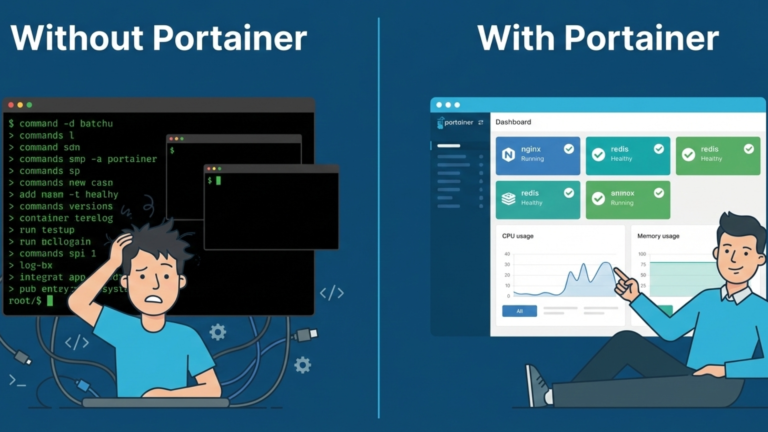
If you run a homelab, you know the drill. SSH into your server, type a command to see what’s running, another to check logs, another to deploy something new. It works, but it’s friction. Every task means remembering syntax, reading walls of text, and keeping a mental track of what’s running where.
Portainer changes that entirely. It’s the one container that makes every other container easier to manage. Here’s what it is and why your homelab needs it.
What Portainer Is
Portainer is a lightweight, web-based management interface for Docker. It runs as a container itself, sitting on top of your existing Docker environment and giving you complete visual control over everything running on your server. Instead of typing commands, you click. Instead of remembering flags, you fill in forms. Instead of jumping between terminal windows, you get one unified dashboard showing your entire container environment at a glance.
The fact that Portainer itself runs as a container is part of what makes it elegant. It doesn’t require a separate installation process or special configuration. It lives inside Docker like everything else, and it manages Docker from within. One command to deploy it, and you have a professional-grade management interface for your entire stack.
The Problem It Solves
Before Portainer, managing a homelab meant constant low-level friction that accumulated over time in ways that weren’t obvious until they became a real problem.
The visibility problem comes first. Checking whether a service is running means SSHing in and reading through the command output. Checking resource usage is another command. Checking logs means finding the container ID first. None of these tasks is hard individually, but together they add enough friction that you start avoiding routine checks entirely.
The mental overhead compounds this. Every service you add increases complexity. Six months into running a homelab, you have containers running that you no longer remember setting up. Volumes accumulating. Networks you don’t remember creating. The command line gives you no context about how things connect or what depends on what.
The fear factor is the most insidious part. One mistyped command can delete a critical volume or wipe out an entire stack. That anxiety makes you less willing to experiment, which defeats the entire point of running a homelab in the first place.
Portainer eliminates all of this. It gives you a single view of every container, every volume, every network, and every image. You see what’s running, what’s healthy, and what’s consuming resources without typing a single command.
Why It Transforms a Homelab
The shift Portainer creates isn’t just about convenience; it changes how you interact with your infrastructure.
When everything is visible in one place, you stop avoiding routine maintenance. You can spot which container is hammering your CPU, which volume is filling up, and which services have been sitting stopped for months, all at a glance. Visibility alone makes you a more deliberate operator of your own infrastructure.
Deploying new services becomes something you actually want to do rather than something you put off. Paste a configuration into the web editor, set your environment variables, and click deploy. If it breaks, delete it with one click. The reduced friction means you experiment more, which means you learn more, and learning is the whole point of a homelab.
Troubleshooting changes completely. Logs stream live in your browser. When something fails, you see the error immediately. You can open a shell inside any running container directly from the interface without leaving the dashboard. Problems that used to take twenty minutes of terminal navigation take two.
As your homelab grows and you add more machines, Portainer scales with it. It can connect to other Docker hosts through a lightweight agent, letting you manage your entire fleet from one login. The same interface that manages one server manages five.
The Takeaway
A homelab should be about running services and learning, not wrestling with command syntax every time you need to check on something. Portainer removes that friction without removing any of the power underneath it. Docker is still doing everything it was doing before. You just no longer have to speak its language for every interaction. Install Portainer once, and it becomes the lens through which you see and manage your entire container environment. That is why every homelab needs it.









