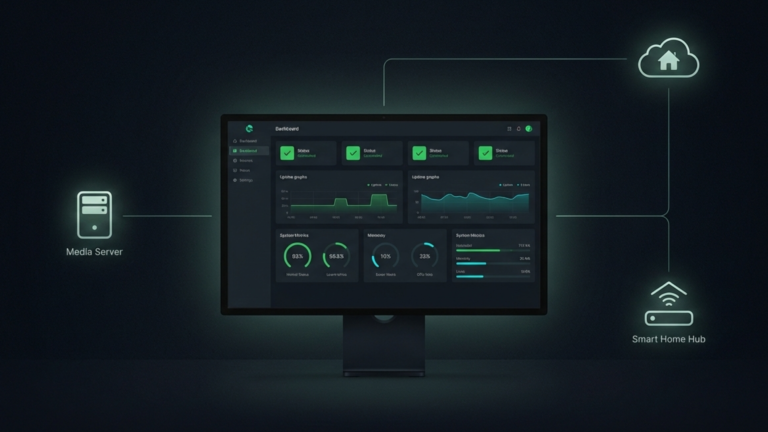
Uptime Kuma is a self-hosted monitoring tool that watches every service in your homelab and alerts you the moment something goes wrong. Not when you notice. Not when someone complains. The moment it happens.
What Uptime Kuma Actually Is
Uptime Kuma is a free, open-source monitoring application that runs as a Docker container and gives you a live dashboard showing the status of every service in your homelab. You point it at your services, and it checks them continuously by default every sixty seconds, recording whether each one is up or down and how long it has been in that state.
When something goes down, Uptime Kuma sends you a notification immediately. It supports over ninety notification channels, including Telegram, Discord, Slack, email, and Pushover, so wherever you prefer to be reached, it can find you. When the service comes back up, it notifies you of that, too.
The dashboard itself is genuinely well designed colorful uptime charts, response time graphs, and clean status indicators that make the state of your homelab readable at a glance. Most monitoring tools look utilitarian at best. Uptime Kuma looks like something you actually want to open.
The Problem It Solves
A homelab without monitoring is a black box. You know what you built. You know what should be running. But you have no systematic way of knowing what is actually running at any given moment unless you go and check manually, and nobody checks manually with the consistency that matters.
Silent failures compound over time. A container crashes at 2 AM, and the restart fails by morning. The service has been down for six hours, and nobody knew. A certificate expires on a publicly accessible service, and visitors start seeing security warnings. A database fills its volume and stops accepting writes. These are not edge cases; they are the ordinary reality of running services on hardware you maintain yourself.
Uptime Kuma eliminates the silent part. The moment a service becomes unreachable, you know. The moment a certificate is thirty days from expiry, you know. The gap between something breaking and you finding out collapses to seconds.
What It Actually Monitors
Uptime Kuma is more than a simple ping tool. It can verify that a web service is responding correctly over HTTP, check that a specific port is open, confirm that a keyword appears or does not appear on a page, monitor SSL certificate expiry dates, and use ICMP ping to check whether any networked device, routers, printers, or Raspberry Pis are alive on your network.
The certificate monitoring is particularly valuable for anyone running publicly accessible services. SSL certificates expire on a fixed schedule, and missing that date is immediately visible; browsers block access and display security warnings to anyone who tries to connect. Uptime Kuma watches expiry dates and warns you weeks in advance, turning what could be an embarrassing outage into a routine renewal.
There is also a push monitor type for services that sit behind firewalls or NAT configurations. Instead of Uptime Kuma reaching out to check the service, the service calls home to Uptime Kuma at regular intervals. If Uptime Kuma stops hearing from it, it marks the service as down. This covers the cases where outbound checks simply cannot work.
Why It Belongs in Every Homelab
Uptime Kuma runs on minimal hardware; a Raspberry Pi Zero 2 handles it without strain. It requires almost no configuration to get started and scales naturally as your homelab grows, handling dozens of monitors without meaningful overhead.
The ideal setup is to run Uptime Kuma on a separate device from the services it monitors. If your main server goes down and Uptime Kuma is on the same machine, the monitoring tool goes down with everything else, and you lose the notification you needed most. A dedicated low-power device keeps the monitoring layer independent. When the main server fails, Uptime Kuma is still running and still alerting.
The Takeaway
Uptime Kuma watches every service in your homelab and alerts you immediately when something goes wrong. It is lightweight, easy to set up, and built for exactly the kind of environment a homelab represents: many services, limited time, and a strong preference for knowing about problems before they become crises.









