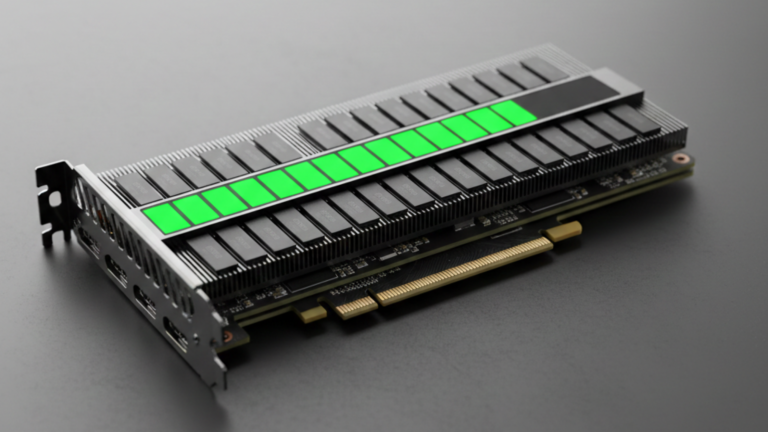
VRAM, the dedicated memory on your graphics card, is the single constraint that determines what you can and cannot run locally. If a model’s weights do not fit inside it, the model does not run. Everything else is secondary.
Why VRAM Is the Bottleneck
When you run a model locally, three things compete for space in your GPU’s memory at the same time.
The model weights are the largest portion of the billions of parameters that define what the model knows and how it reasons. They load once and stay resident the entire time the model is running. The KV cache grows dynamically as your conversation gets longer. Every token generated consumes more space here, and a long context or large document analysis can add several gigabytes on its own. Framework overhead from software like Ollama or llama.cpp takes roughly 0.5 to 1GB just to operate.
The practical implication: you need enough VRAM to hold the model plus your longest anticipated conversation. When a model crashes mid-sentence, the KV cache is usually the reason.
The Formula
At full precision (FP16), models use 2 bytes per parameter. The basic rule is that parameters in billions multiplied by 2 give you the VRAM requirement in gigabytes. A 7B model needs roughly 14GB. A 70B model needs roughly 140GB, well beyond any single consumer GPU.
Quantization changes everything. By reducing the numerical precision of the weights, you can fit models that would otherwise be impossible. At INT8, the multiplier drops to 1, so a 7B model needs around 7GB. At INT4, the Q4_K_M format, you will see most often that the multiplier is 0.5, bringing a 7B model down to around 3.5GB. That is what makes local AI practical for most people.
One important caveat: these figures cover weights only. A large context window adds on top of that. A model that fits comfortably at Q4 with a short conversation may fail immediately if you load a 100K-token document.
VRAM Tiers
The table below uses Q4_K_M quantization, the standard sweet spot between quality and size. Higher precision requires significantly more memory.
| VRAM | Max Model Size (Q4) | What to Expect |
|---|---|---|
| 4–6GB | 3B parameters | Basic chat only. Not suitable for complex tasks. |
| 8GB | 7B parameters | Entry-level LLMs. Fast responses, limited context. |
| 12GB | 10–14B parameters | The daily driver. Solid reasoning, longer context. |
| 16GB | 20–30B parameters | Complex tasks, larger context windows. |
| 24GB | 30–40B parameters | Power user territory. Runs most state-of-the-art models. |
| 48GB+ | 70B+ parameters | Largest quantized models or multiple models simultaneously. |
Getting More Out of the VRAM You Have
If a model is not fitting, two things are worth trying before considering new hardware.
Use Q4_K_M quantization if you are not already. It is the universally recommended format the best balance of model quality and memory footprint. Q5_K_M is a step up in quality if you have a few gigabytes of headroom.
Enable partial offloading. Both llama.cpp and Ollama allow you to split the model between your GPU and system RAM. Performance drops because RAM and CPU are slower than VRAM, but it can make the difference between a model running and not running at all.
The Bottom Line
Eight gigabytes gets you into local AI. Twelve is where it becomes a reliable daily tool. Twenty-four is where almost everything becomes possible. The goal is not to run the highest-ranked model on the leaderboard; it is to find the best model that fits what you have. A quantized 7B model running smoothly on an 8GB card will always be more useful than a 70B model that runs out of memory before finishing a response.









