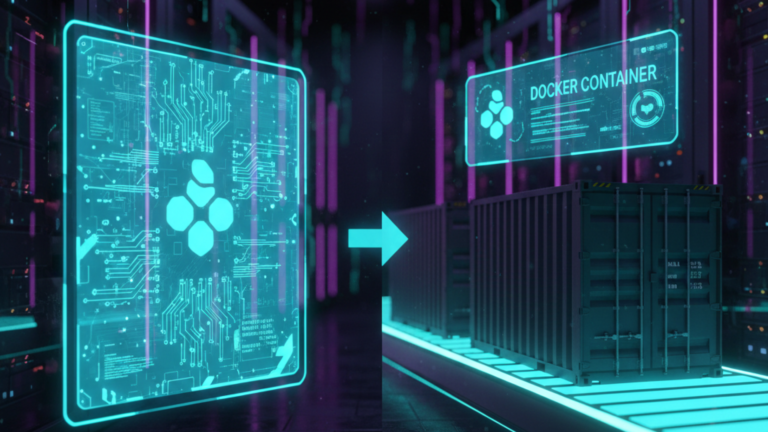
If you’re new to Docker, two terms constantly come up: Docker Image and Docker Container. People use them interchangeably, but they are not the same thing. Get this distinction right, and everything else about Docker clicks into place.
The Short Answer
A Docker Image is the blueprint. A Docker Container is the house built from that blueprint. Alternatively, a Docker Image is the recipe. A Docker Container is the actual meal on your plate. Or one more: a Docker Image is the class. A Docker Container is the instance.
The image is the static, unchanging template. The container is the running, living, breathing version of that template. You can have multiple containers from the same image, just like you can build multiple identical houses from the same blueprint.
That’s the core. Now let’s look at what actually separates them.
The Key Difference
A Docker Image is read-only. It is a fixed, immutable package built once and reused indefinitely. It sits on your disk doing nothing until you tell Docker to run it. It does not consume CPU, it does not consume memory, and it cannot be altered. It is purely a template, static, stable, and permanent.
A Docker Container is the opposite. It is alive. When Docker runs an image, it spins up a container, a running process with memory, CPU allocation, a writable filesystem, and an isolated network interface. Unlike the image it came from, a container can change. It writes files, generates logs, and mutates state while it runs. But it is also short-term. Delete the container, and those changes vanish. The image underneath remains completely untouched, ready to produce a fresh container at any moment.
This is the fundamental tension at the heart of Docker: the image is permanent, the container is disposable. One never changes; the other is designed to be thrown away.
How They Work Together
The relationship between an image and a container is not just a technical detail; it is the entire model Docker is built on, and understanding it changes how you think about running software.
Here is the flow. You define your application and its environment in a Dockerfile. Docker builds that definition into an image. That image is your single source of truth; it captures everything your application needs to run, frozen at a specific point in time. When you need your application to actually do something, you run the image, and Docker creates a container from it. The container is where work happens. The image is where consistency lives.
Because the image never changes, every container created from it starts from an identical baseline. It does not matter whether you run it on your laptop today or on a cloud server six months from now; the image guarantees the environment is the same. The container handles the runtime reality: the actual execution, the live data, and the temporary state. When that container has done its job, you delete it. The image stays. You run another container whenever you need it.
This separation is also what makes scaling straightforward. If you need ten instances of a web server, you run ten containers from the same image. Each one is independent and isolated from the others. If one crashes, you delete it and spin up a fresh one from the same image in seconds. Nothing about the original image was affected.
A Practical Example
You pull the nginx: latest image from Docker Hub. It contains everything needed to run the Nginx web server. When you run it, Docker creates a container, and Nginx starts serving web pages. You open a terminal inside that container and edit a configuration file. That changes lives in the container’s writable layer. Now you delete the container and run nginx: latest again. You get a completely fresh container your edits are gone, because the image never changed. The container was always just a temporary instance of it.
That is the relationship in one paragraph. The image is the constant. The container is the variable.
The Takeaway
The image is the blueprint, read-only, immutable, and endlessly reusable. The container is what happens when that blueprint runs alive, mutable, and disposable by design. One gives you consistency and portability. The other gives you isolation and flexibility. Together, they form the foundation on which everything else in Docker is built. Understand this relationship, and you don’t just know what Docker is; you understand how it thinks.









