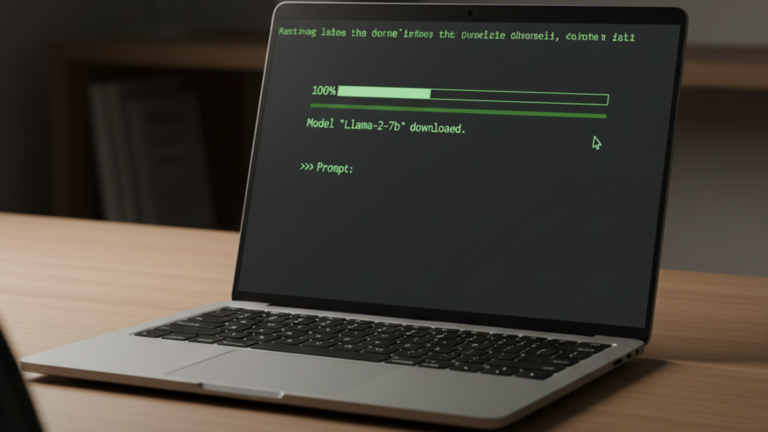
Running your first local AI model with Ollama takes one pull command and one terminal prompt, no cloud account, no API key, no Python environment to configure.
Ollama manages everything the model needs: downloading the weights, handling quantization so the model fits in consumer RAM, and serving inference through a local API on port 11434. Once a model is pulled, it is entirely yours offline and private by default.
What You Need Before Starting
You need Ollama running in Docker with the container named ollama. If you have not done that yet, the Ollama Docker install guide covers it. You also need at least 8 GB of RAM and 10 GB of free disk space. The model pulled in this guide is about 2 GB, and Ollama needs headroom to load and run it.
Pull Your First Model
docker exec -it ollama ollama pull qwen2.5:3b
Qwen2.5 3B is about 2 GB to download and runs well on the CPU. The pull output shows each layer downloading and confirms with success when complete.
Check that it landed:
docker exec -it ollama ollama list
NAME            ID              SIZE      MODIFIED
qwen2.5:3b      123abc456def    2.1 GB    1 minute ago
Run It
For a single question:
docker exec -it ollama ollama run qwen2.5:3b "What is a large language model?"
The model generates a response and exits.
For back-and-forth conversation, drop the prompt argument:
docker exec -it ollama ollama run qwen2.5:3b
You will see a >>> prompt. Type your message and press Enter. The model holds conversation context for the session. Type /bye to exit.
What Is Actually Happening
The Ollama container is running a local API server on http://localhost:11434 and keeping it alive in the background. When you call docker exec -it ollama ollama run, you are opening a shell inside the container and sending a request to that server not running the model binary directly.
You can confirm the server is live at any point:
curl http://localhost:11434/api/tags
The response lists every model you have pulled. This is the same endpoint any application uses to discover what models are available on your Ollama instance.
Where Models Are Stored
Ollama stores downloaded models inside the container at /root/.ollama. Because the Docker install guide mounts that path to ./ollama_data on the host, the models live on your machine, not inside the container. They persist across container rebuilds and updates, and pulling the same model name again only downloads what has changed.
To remove a model you no longer need:
docker exec -it ollama ollama rm qwen2.5:3b
To restart the Ollama container:
cd ~/homelab/ollama
docker compose restart ollama
Choosing a Different Model
The Ollama model library at ollama.com/library lists everything available. Model names follow the pattern name:size for example llama3.2:3b or mistral:7b. Larger models produce better output but require more RAM and respond more slowly on CPU. A 3B model is the right starting point for most hardware.
RAM requirements scale roughly with model size: 3B models need around 4 GB, 7B models need around 8 GB. If a model exceeds your available RAM, Ollama will either run very slowly or fail to load entirely.
The Takeaway
Ollama is running as a Docker container, serving a local API that persists across reboots. You pulled a model, verified it loaded, and ran your first inference from the terminal. The model data lives in ./ollama_data on the host and is available to any local application that can reach port 11434.









