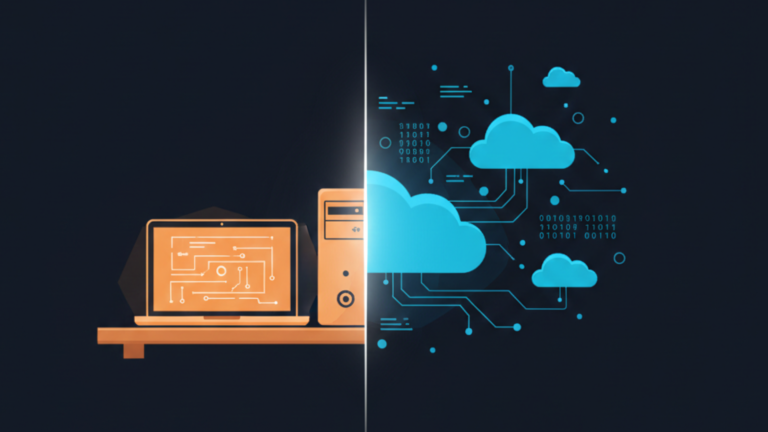
Local AI and Cloud AI are two fundamentally different ways of running an artificial intelligence model, and the difference comes down to where the computation happens.
With Cloud AI, your prompt leaves your device, travels to a server farm owned by a company like OpenAI, Google, or Anthropic, gets processed there, and the response comes back. The model never touches your machine. With Local AI, the model lives on your hard drive. When you prompt it, everything happens on your own hardware CPU, GPU, or NPU. Nothing leaves your device. No internet connection required.
That distinction sounds simple. Its consequences are not.
Privacy
Cloud AI means your conversations exist on someone else’s infrastructure, subject to their security practices, their employees’ access, and their terms of service. That is not a hypothetical concern; there have already been incidents: a ChatGPT bug that exposed users’ chat histories, engineers leaking proprietary code by pasting it into a cloud model, and ongoing questions about whether conversations inform future training. For legal documents, medical records, or anything genuinely sensitive, that exposure is hard to justify.
Local AI removes the question entirely. If the data never leaves your device, it cannot be intercepted, scraped, or subpoenaed from a provider. That makes it the only defensible choice for anyone handling information that belongs to someone else, journalists protecting sources, clinicians processing session notes, and developers working on proprietary systems. The trade-off is that you become responsible for your own security. If your machine is compromised, your AI interactions are compromised as well.
Cost
Cloud AI is cheap to start and expensive to scale. Free tiers exist, and $20 a month feels reasonable for a casual user. But the moment you move toward automation, batch processing, or API-based applications, costs compound quickly. You are not buying a product; you are renting access, and the meter runs on every query.
Local AI inverts that structure. The upfront cost is really a capable GPU or a Mac with sufficient unified memory, which runs anywhere from $1,000 to $3,000, and model files themselves can exceed 100GB of storage. But once that hardware is paid for, inference costs nothing. A million queries carry no marginal cost. For a heavy user or anyone building on top of AI, local pays for itself. The ceiling is your hardware; if it is modest, you are limited to smaller models that cannot match the frontier.
Performance and Capability
The honest answer is that cloud models are currently smarter. GPT-4, Claude, and Gemini are architectures with hundreds of billions of parameters, trained on infrastructure that no individual owns. For complex reasoning, nuanced writing, or tasks that demand broad world knowledge, they lead. The trade-off is latency, server congestion, and dependence on a working internet connection.
Local inference is fast in a different way; responses can hit 50 to 100 tokens per second on modern hardware with zero network delay. It works on a plane, in a remote location, during an outage. The models you can run locally, typically 7B to 70B parameters, often quantized to fit consumer hardware, are genuinely capable. Llama 3 70B competes with earlier GPT-4 on many tasks. But they are not the frontier, and for some tasks that gap is noticeable.
Ease of Use
Cloud AI requires a browser and an account. It runs on a decade-old laptop, a tablet, and a phone. There is nothing to install and nothing to configure.
Local AI has closed that gap significantly. LM Studio now offers a fully graphical interface for browsing models, downloading them, and starting a chat, with no command line involved. Ollama, which started as a developer tool, now ships a desktop app alongside its CLI. Neither requires understanding model formats or driver configurations to get started. The honest position in 2025 is that local AI is accessible to anyone willing to spend twenty minutes on setup, not just developers. Where cloud still wins is the absolute floor if someone hands you a tablet and asks you to use AI, cloud works, and local does not.
The Hybrid Middle Ground
The more practical picture for most users is not a binary choice. Systems like Apple Intelligence and Microsoft’s Copilot+ PCs already route work based on what it demands. Simple tasks like autocomplete, smart replies, and light editing happen on-device, fast and private, while more complex requests get handed to the cloud when the capability justifies it. The device decides when to ask for help and when to handle things itself. That approach, private by default, powerful when needed, is likely where most consumer AI ends up.
Which One Is Right for You
If privacy is your primary concern, local is the only honest answer. If you need the most capable model available and sensitivity is not a factor, the cloud is the practical choice. If you are a heavy user who already owns capable hardware, local will pay for itself. If you are just starting and want to experiment without commitment, the cloud is the right place to begin.
The choice is not about which is better. It is about which trade-offs match what you actually need.









