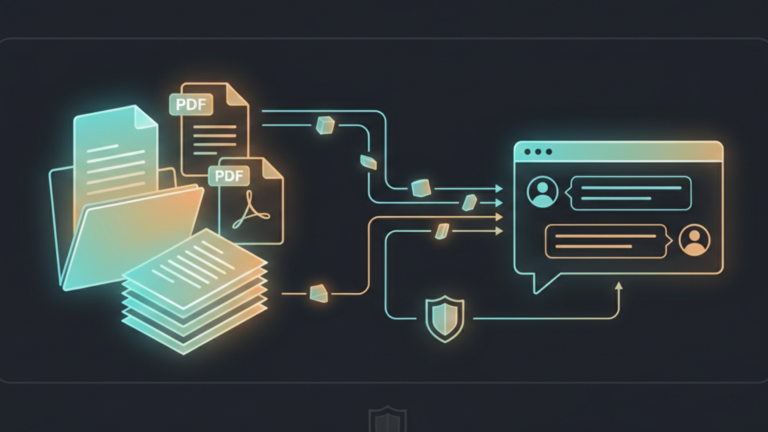
AnythingLLM is an open-source application that lets you chat with your private documents using local AI entirely on your own hardware, with no cloud required. It takes the concept of document chat and makes it practical for anyone running a homelab or working with sensitive information.
What AnythingLLM Actually Is
AnythingLLM is a full-stack application built specifically around your documents. Its core purpose is to turn any document, resource, or piece of content into a context that an AI model can reference during a conversation, giving you a private, self-hosted alternative to cloud-based document chat tools.
What sets it apart is its flexibility. AnythingLLM works with local models through Ollama, and with cloud providers like OpenAI, Anthropic, and Gemini if you choose. You are never locked into a single provider. It runs as a desktop app on Mac, Windows, and Linux, as a self-hosted Docker container, or as a managed cloud instance. Your data, your rules.
How Chatting With Your Documents Actually Works
The technology behind document chat is called RAG Retrieval-Augmented Generation. Instead of an AI guessing answers from its training data, it searches your documents first and uses what it finds to craft a grounded, cited response.
There are two ways AnythingLLM handles this.
The simpler approach is direct attachment. You drag a document into the chat, and AnythingLLM inserts the full text into the model’s context window. This works well for short documents, but hits a wall fast. Try it with a 200-page manual, and the model either truncates the content or refuses entirely.
The smarter approach is RAG, and it is how AnythingLLM is designed to be used. When you upload a document to a workspace, it goes through a pipeline: the document is split into smaller chunks, each chunk is converted into a vector, a mathematical representation of its meaning, and those vectors are stored in a local database running entirely on your machine.
When you ask a question, AnythingLLM searches that database for the chunks most relevant to what you asked. Only those chunks get sent to the model along with your question. The model answers using the retrieved context and tells you exactly which document and section the information came from.
That citation tracking is what makes it genuinely trustworthy. You are not left wondering whether the answer was hallucinated or grounded in something real. You can check the source yourself.
AnythingLLM also manages context limits intelligently. If you try to attach a document that is too large for the model’s context window, it will prompt you to embed it instead, rather than silently truncating your content and giving you a degraded answer.
Two Modes, One Tool
AnythingLLM gives you deliberate control over how documents are used through two distinct chat modes.
Query Mode is strict. It only uses information from your uploaded documents and will tell you plainly if it cannot find a relevant answer. No blending with the model’s general knowledge, no hallucinations, no invented facts. This is the right mode when accuracy matters for legal documents, technical specifications, and company policies.
Chat Mode is flexible. It combines your documents with the model’s broader knowledge, making it more conversational and better suited to exploration. Use this when you want the AI to explain something from your documents in plain language, or when you are brainstorming around a topic rather than looking for a specific fact.
Having both modes in the same tool, switchable per conversation, is one of the design decisions that makes AnythingLLM genuinely practical rather than just technically impressive.
The Takeaway
AnythingLLM turns your private documents into a knowledge base your local AI can actually use. The RAG pipeline keeps everything on your hardware, the citation tracking keeps answers honest, and the dual chat modes give you control over how strict or flexible the model should be. If Ollama is the engine and Open WebUI is the interface, AnythingLLM is the layer that makes your own knowledge searchable. That is the ingredient.









