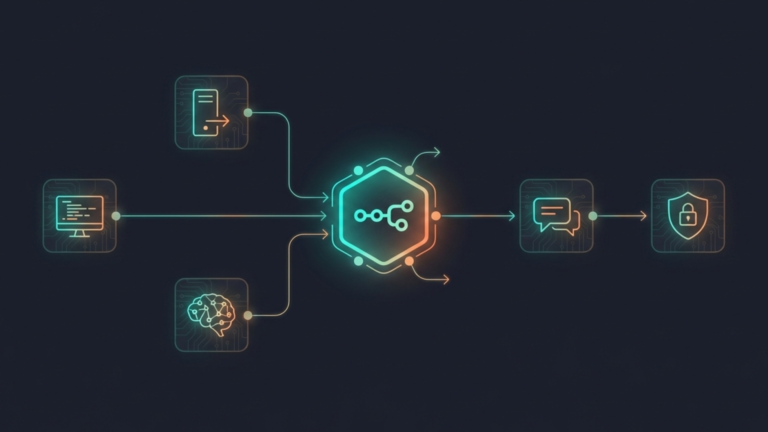
n8n is an open-source workflow automation platform that runs as a Docker container and connects every tool in your homelab into a coordinated system that can respond to events intelligently without your constant attention.
What n8n Actually Is
n8n lets you build automated workflows by connecting services, APIs, and tools through a visual interface. You build workflows by placing nodes on a canvas and connecting them, each node representing an action, a trigger, or a decision. When a trigger fires, the workflow runs, passing data from node to node until it reaches its conclusion.
What makes n8n different for a homelab is two things: it is self-hosted, and it has native AI agent support.
Self-hosted means your workflows, your credentials, and your data never leave your hardware. You are not routing automation logic through a third-party cloud service. Everything runs on your own machine, which matters when those workflows touch sensitive infrastructure like SSH access, database queries, or internal service APIs.
Native AI agent support means n8n is not just an if-then automation tool anymore. It can think.
The Shift From Automation to Agents
Traditional automation is rigid. You define every possible branch in advance. If this happens, do that. If that fails, do this other thing. It works well for predictable, linear tasks send a notification, moving a file, restart a service. But it breaks the moment something unexpected happens that you did not anticipate when building the workflow.
AI agents in n8n work differently. Instead of hardcoding every branch, you give an agent a goal and a set of tools. The agent, powered by a language model, either a cloud model like GPT-4 or a local model through Ollama, decides which tools to use, in what order, based on what it finds. It reasons through the problem rather than following a fixed script.
The practical difference is significant. A traditional automation workflow can tell you a service is down. An AI agent can investigate why it is down, attempt to fix it, verify the fix worked, and report back all without you writing out every possible failure scenario in advance. It handles the unexpected because it is reasoning, not pattern-matching.
Terry: What an AI Agent Looks Like in Practice
The homelab community has developed a useful concept for demonstrating n8n’s AI agent capability, often called Terry, an AI agent that acts as a tireless IT employee watching over your infrastructure.
Terry starts simple. A trigger fires when a service becomes unreachable. Terry checks whether it is actually down via HTTP, then reports the status. That is traditional automation: fast, reliable, but limited.
Terry gets more capable from there. When the service is down, Terry does not just report it. It connects to the server over SSH, checks the container status, reads the logs, and reports not just that the service is down but why, the exit code, the error message, and the likely cause. It has gone from notifying to investigating.
Then Terry attempts a fix. It restarts the container, waits, confirms the service is back up, and reports success. If the fix does not work, it tries the next logical approach, iterating through solutions the same way a person would.
The final and most important stage is human-in-the-loop. Before Terry takes any destructive action, killing a process, deleting a file, or making a configuration change, it asks for approval. It explains what it found, what it wants to do, and waits for confirmation before proceeding. The agent handles the investigation and the diagnosis. The human handles the authorization. Neither has to do the other’s job.
Terry is not a real product. It is a pattern, a demonstration of what n8n’s AI agent capability makes possible on your own hardware, connected to your own infrastructure, using local models so nothing sensitive leaves your network.
Why It Belongs in a Homelab
Every tool covered in this series so far is a node in a larger system. Pi-hole is a node. Uptime Kuma is a node. Portainer is a node. Ollama is a node. Each one does its job and surfaces information, but that information has nowhere to go unless you go looking for it.
n8n is what gives that information somewhere to go. It connects Uptime Kuma’s outage alert to an AI agent that investigates the cause. It connects Ollama’s local models to workflows that process documents, answer questions, or summarize logs. It turns your entire homelab into a system that responds to events rather than just reporting them.
Combined with Ollama for local model inference, you get AI-powered automation that is entirely air-gapped from the cloud. The agents running your workflows make decisions using models on your hardware, query services on your network, and write results to storage you own. Nothing in that chain touches the internet unless you explicitly want it to.
The Takeaway
n8n is the connective tissue of a mature homelab. It takes the individual tools you have built, the monitoring, the container management, the local AI, the network security, and turns them into a coordinated system that responds intelligently to events. The shift from automation to AI agents is what makes it more than a workflow tool. It is the difference between a homelab that notifies you when things break and one that investigates, adapts, and fixes them on its own. The individual tools are powerful. Connected through n8n, they become a system.









